Google Ads Conversion Tracking: The 2026 Audit Method
Setting up Google Ads conversion tracking is easy. Proving it is correct is the part that decides your bidding, your budget, and your client report. A 30 minute audit, the 2026 API changes, and how to report a number you can defend.
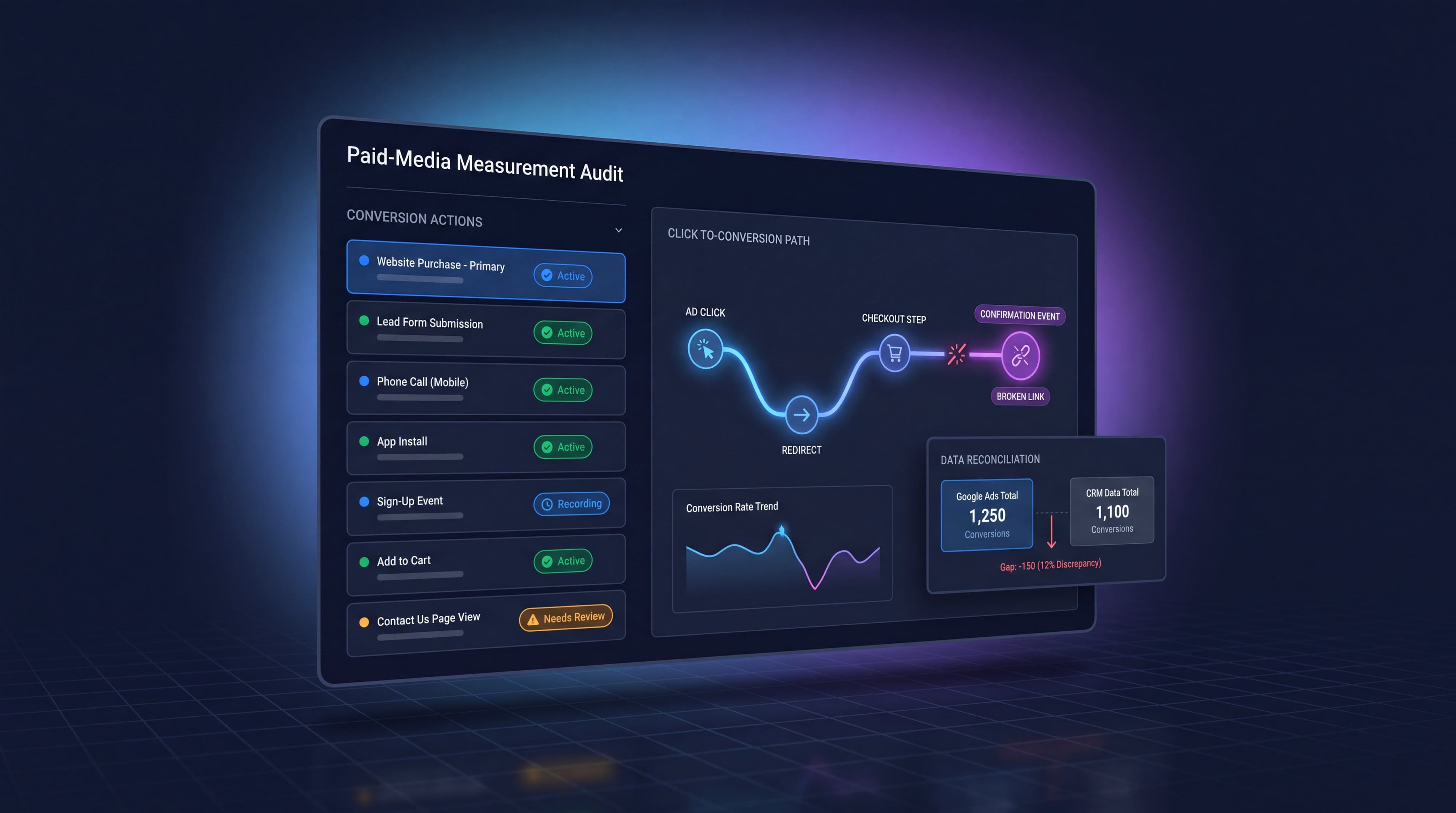
Every optimisation decision in a Google Ads account traces back to one number: how many conversions the platform thinks it caused. Smart Bidding reads it. Budget allocation follows it. The client report leads with it. And in a large share of accounts, that number is quietly wrong.
The search results for this topic are almost entirely setup tutorials. Google's own documentation, a dozen agency posts, all covering the same five steps in the same order. Setup is genuinely not the hard part. The hard part is the question that comes after: how do you know the number is right, and what do you say when a client asks why your dashboard and their CRM disagree?
This is a guide to the second question. It covers how the tracking actually works, what changed in 2026, the five ways it breaks, a 30 minute audit you can run on any account, and how to report a conversion figure that survives scrutiny.
Contents
- How Google Ads conversion tracking actually works
- What changed in 2026
- The five ways conversion tracking breaks
- The 30 minute conversion tracking audit
- Why Google Ads and GA4 will never match
- Primary versus secondary: the counting decision
- Enhanced conversions and consent mode
- Reporting a number the client can trust
- Where MarqOps fits
- Frequently asked questions
- The bottom line
How Google Ads conversion tracking actually works
Three moving parts have to line up, and understanding which one you are debugging saves most of the time people lose on this.
The click identifier. When someone clicks your ad, Google appends a GCLID (or WBRAID and GBRAID on iOS app traffic) to the landing page URL. The conversion linker stores it in a first party cookie. That identifier is the thread connecting the click to whatever happens later. If it drops anywhere along the journey, the conversion still happens and Google Ads never hears about it.
The conversion action. This is the definition you create in the account: what counts, how it is valued, how long the window stays open, and whether repeat events count once or every time. Most accounts inherit these settings from whoever set the account up and never revisit them.
The tag. The Google tag fires on the event you have defined as a conversion, reads the stored identifier, and reports back. Google Ads then credits the conversion to the campaign on the click date, not the date the conversion happened. That single detail causes more reporting arguments than anything else in this article.
What changed in 2026
Two structural changes landed this year, and both have deadlines attached.
Enhanced conversions became one switch. From June 2026, enhanced conversions for web and enhanced conversions for leads merged into a single feature with a simple on/off control. The separate method selections are gone. The practical upside is that an account can now accept user-provided data from the website tag, from Data Manager, and from API connections at the same time rather than being locked to one path. Existing users who had already accepted Google's customer data terms were migrated automatically, so for most accounts no action was required to stay live.
Offline conversion imports left the Google Ads API. From 15 June 2026, offline conversion imports and enhanced conversions for leads uploads moved to the Data Manager API and are blocked in the Google Ads API. Google's stated reason is consolidation: Customer Match, offline conversion imports, enhanced conversions for leads, store sales, and mobile device identifiers previously required five separate pipelines and now run through one endpoint. Version 1.6, shipped in May 2026, added store sales measurement and broader Analytics event support.
The detail that catches teams out is the allowlisting rule. Developer tokens that did not send a request between January and June 2026 are not allowlisted for legacy access. Active integrations get a temporary continuation. Anything dormant, including a client account you inherited and have not touched since last year, does not. If you import offline conversions from a CRM, check which API your connector is calling before the next reporting cycle rather than after.
The five ways conversion tracking breaks
The failures are boringly predictable, which is good news. One analysis drawing on more than 500 account audits found 73% of tracking failures fell into five categories, with identifier problems the most common single cause. Practitioners auditing accounts they have just inherited put the hit rate at 60 to 70%, and the typical estimate for silent data loss sits between 10 and 30% of conversions.
| Failure | What you see | Where to look first |
|---|---|---|
| Identifier drop | Conversions fall off a cliff after a site change, or paid traffic converts in GA4 but not in Ads | Redirects, cross-domain hops, payment gateways, and the conversion linker |
| Tag removed or misfiring | A conversion action shows "no recent conversions" or unrecorded status | Tag diagnostics, then the actual confirmation page |
| Double counting | Conversion counts that look too good, ROAS that nobody can reproduce | Multiple tags on one page, "every" versus "one" counting, thank-you page reloads |
| Flat or missing values | Every conversion worth the same, or worth nothing | Dynamic value parameters in the tag, currency mismatches |
| Consent misconfiguration | Sudden volume collapse in EEA and UK traffic with no other explanation | Consent mode signals, CMP wiring, modelling eligibility |
Notice that four of the five are invisible from the campaign view. Nothing turns red. Spend keeps flowing, Smart Bidding keeps optimising toward a signal that has quietly changed shape, and the first person to notice is usually the client asking why leads feel slower than the dashboard suggests. That is the same detection problem covered in our Google Ads anomaly detection guide, and the same reason a scheduled check beats waiting for something to look wrong.
The 30 minute conversion tracking audit
Run this on any account you have inherited, and on your own accounts once a quarter. It takes about half an hour and finds most of what matters.
1. Inventory the conversion actions. Open Goals, then Conversions, then Summary. List every action with its status, its category, its counting setting, its attribution model, its window, and whether it is primary or secondary. Anything showing "no recent conversions" or "unverified" is your first stop. Anything you cannot explain the business purpose of is your second.
2. Read the tag diagnostics. The tag diagnostics report grades tag quality as excellent, good, needs attention, or urgent. If you are running enhanced conversions for leads, its diagnostics report separately shows how much conversion data you are actually recovering. These two screens surface a large share of problems before you touch a browser.
3. Walk the journey with a real identifier. This is the step people skip and the one that catches identifier drops. Load your landing page with a test GCLID appended to the URL, then navigate through the funnel the way a customer would. Watch the URL bar and the network tab. The identifier should survive every redirect, every cross-domain hop, and every step of checkout, and the conversion tag should fire exactly once on the true confirmation event.
4. Reload the confirmation page. Then check whether a second conversion registered. If it did, you have a counting problem that has been inflating results for as long as the tag has been live.
5. Check the values. Sort recent conversions by value. If every row is identical on an ecommerce account, the dynamic value parameter is not populating. If values look plausible but the currency is wrong, your ROAS is off by an exchange rate.
6. Reconcile against the source of truth. Take the last full month, pull conversions from Google Ads, key events from GA4, and closed records from the CRM or booking system. Write the three numbers side by side. You are not looking for a match. You are looking for a gap you can explain.
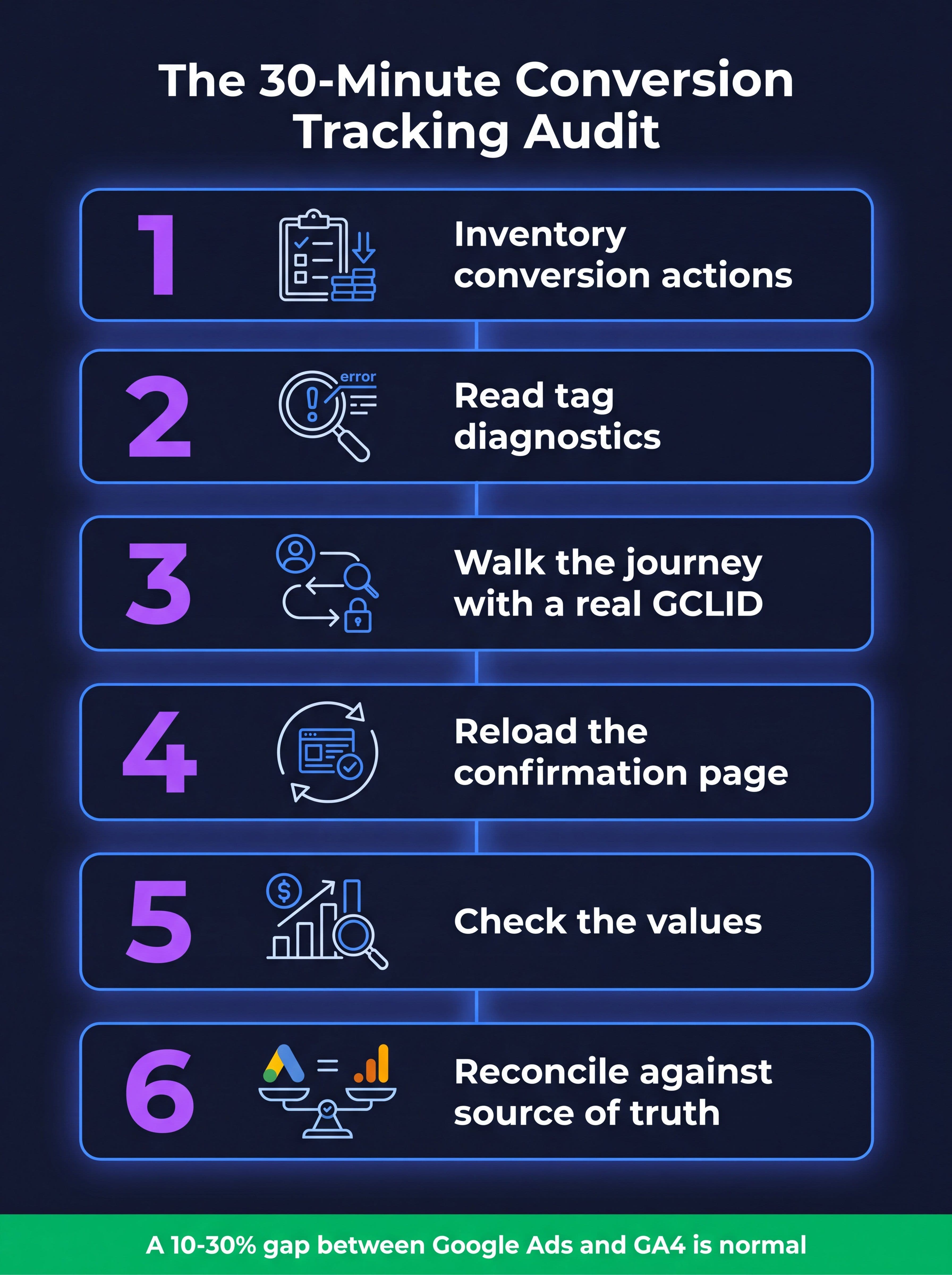
The six checks that find most conversion tracking failures, in the order that saves the most time.
Document the output. An audit whose findings live in someone's head has to be redone by the next person. Our broader Google Ads audit walkthrough covers where this sits in a full account review, and the negative keyword strategy guide covers the waste side of the same account once the measurement side is trustworthy.
Why Google Ads and GA4 will never match
This question consumes an enormous amount of agency time, and the honest answer is that matching is not the goal. The two platforms are answering different questions with different methods.
| Difference | Google Ads | GA4 |
|---|---|---|
| Date credited | The date of the click | The date of the event |
| What gets counted | Only outcomes its own model credits to an ad | Key events from every traffic source |
| Repeat events | Configurable per action, one or every | Every occurrence |
| Blocked users | Partly recoverable via enhanced conversions | Script blocked for a large share of users |
| Time zone | Account level setting | Property level setting |
Add to that the fact that ad blockers prevent GA4's script from loading for a meaningful share of global users, and that the same conversion may reach Google Ads through enhanced conversions while never reaching GA4 at all. A gap of roughly 10 to 30% between the two is common enough that analysts treat it as normal. Investigating below that threshold rarely repays the hours.
What should trigger investigation is a change in the gap. A stable 22% difference that becomes a 60% difference in a week is a real signal. The absolute number is noise, the trend is information. This is also the reason a single conversion count should never be the only thing in a report, and why we argue for a small, defensible metric set in our piece on marketing KPIs.
If your goal is to know whether the ads caused the outcome rather than merely preceded it, conversion tracking is the wrong instrument entirely. That is what incrementality testing is for, and the multi touch attribution guide covers where platform-reported numbers stop being able to answer the question.
Primary versus secondary: the counting decision
The primary and secondary distinction is the single highest leverage setting in the whole system, because primary actions feed bidding and appear in the Conversions column. Secondary actions are observation only.
The classic damage pattern shows up in ecommerce audits. An account marks purchases, add-to-cart events, newsletter signups, and thank-you page views all as primary. Smart Bidding now optimises toward a blend in which a newsletter signup carries the same weight as a sale, ROAS reads several times higher than reality, and budget flows toward whatever produces the cheapest low-value action.
Performance Max makes this worse rather than better, because it optimises hard against whatever signal you give it. Analysis across accounts found Performance Max outperforming Search on ROAS in 58% of cases while cannibalising branded search in 38%, spending disproportionately on branded queries where conversion rates run 8 to 14 times higher than generic, then claiming credit for conversions that were going to happen anyway. Accounts that carved an exact-match branded campaign out of Performance Max and generic Search saw materially better blended returns. If you run both campaign types, our comparison of Performance Max versus Search campaigns covers the structural fix, and Smart Bidding covers what the algorithm is actually doing with the signal you hand it.
A workable rule: one primary action per business outcome you would defend in a board meeting. Everything else is secondary. If the conversion would not appear on an invoice or in a sales pipeline, it is an observation, not a goal.
Enhanced conversions and consent mode
Enhanced conversions send hashed first party data such as an email address alongside the conversion so Google can match conversions that the cookie path missed. Since the June 2026 consolidation it is a single toggle, and for most advertisers turning it on recovers conversions that were otherwise invisible. It also depends on you actually collecting that data, which is a first party data question before it is a tagging one. Our guide to first party data covers the collection side.
Consent mode is the other half. Advertisers serving the EEA and UK have been required since March 2024 to implement consent mode v2 through a Google-certified CMP, passing all four signals: ad_storage, analytics_storage, ad_user_data, and ad_personalization. When users decline, Google models the missing conversions in aggregate, and Google reports that modelling recovers on average more than 70% of ad-click-to-conversion journeys lost to consent declines.
Two caveats matter operationally. Modelling needs a minimum pool of consented sessions before it produces reliable estimates, so smaller accounts get less benefit. And enforcement on EEA and UK traffic tightened during 2025 without warning emails or a grace period, which means a broken CMP integration can collapse both analytics and conversion data before anyone notices. If a European account shows an unexplained step change in volume, check consent wiring before you check anything else.
Reporting a number the client can trust
Here is where the technical work becomes a commercial problem. The numbers only matter once they are in front of someone making a budget decision, and the state of that conversation in 2026 is not good. Survey work this year found 87% of organisations describing their marketing investments as producing unreliable or inflated intent signals, and two thirds of leaders admitting their dashboards show successes that do not translate into revenue. Estimates of wasted budget cluster around a quarter of spend, with roughly 11% attributed specifically to bad optimisation signals.
The practical answer is to stop presenting conversion counts as facts and start presenting them as claims with a stated basis. Sort every material statement in the report into one of three tiers before it ships.
| Tier | Test it has to pass | Example |
|---|---|---|
| Verified | Traces to a specific source row that a second person could open and confirm | "Google Ads recorded 214 conversions from these campaigns in July, click-date attributed" |
| Needs context | True but incomplete without a caveat a reader would want | "Conversions rose 18% month on month, against a 12% budget increase" |
| Unsupported | Asserts causation or a number no source can produce | "Our optimisation work drove 40 extra sales" |
The unsupported tier is the one that ends relationships. It is also the tier AI drafting tools fill fastest, because a model given a rising chart and a task list will happily write the causal sentence connecting them. Several large consulting firms had reports withdrawn or refunded during 2026 over exactly this pattern, and the same failure mode in a monthly PPC report is smaller in scale but identical in kind. We covered the workflow version of this in white label SEO reports, and the tooling side in marketing reporting software.
One more habit worth adopting: publish the reconciliation. A single line in the report saying "Google Ads shows 214, GA4 shows 176, the 18% gap reflects click-date attribution and blocked scripts and has been stable for six months" converts your biggest recurring awkward conversation into evidence that you know your own data. Clients do not expect perfect measurement. They expect you to know where the edges are.
Where MarqOps fits
Ad Ops in MarqOps runs traffic-light risk analysis across connected Google Ads accounts and surfaces search term signals before spend compounds, then turns the signal into a governed next action rather than an alert nobody reads. It connects to Google Ads, GA4, and Search Console directly.
The reporting layer is the part that matters for everything in the previous section. Verified reporting traces every material claim in a client report back to a source and holds it for human approval. Claims come back marked verified, needs context, or unsupported, each with a source receipt attached, and unsupported claims are blocked from delivery rather than quietly shipped. It sits above your existing dashboard rather than replacing it.
You can see the evidence receipts on a real document in the interactive sample report. Plans start at $19 a month with a seven day trial and no card required. If you are still comparing options, our round-up of the best PPC management tools is written to be useful whether or not you pick us.
Frequently asked questions
How do I check whether Google Ads conversion tracking is working?
Start with the tag diagnostics report, which grades tag quality from excellent to urgent, then confirm it in the browser. Load your landing page with a test GCLID in the URL, walk the funnel the way a customer would, and watch that the identifier survives every redirect and the tag fires exactly once on the real confirmation event. A status of "no recent conversions" on an active action is the clearest single warning sign.
Why do Google Ads and GA4 show different conversion numbers?
Because they count different things on different dates. Google Ads credits conversions to the date of the click and only counts outcomes its own attribution model assigns to an ad. GA4 records key events on the date they happen, across every traffic source. Add ad blockers, differing time zones, and repeat-event settings, and a gap of 10 to 30% is normal. Watch for changes in the gap rather than trying to eliminate it.
What changed with enhanced conversions in 2026?
From June 2026 enhanced conversions for web and for leads merged into a single on/off toggle, and the separate method selections disappeared. Accounts can now send user-provided data from the website tag, Data Manager, and API connections simultaneously. Advertisers who had already accepted Google's customer data terms were migrated automatically and did not need to do anything.
Do I need to migrate offline conversion imports to the Data Manager API?
If you upload offline conversions or enhanced conversions for leads, yes. From 15 June 2026 those uploads are blocked in the Google Ads API and run through the Data Manager API instead. Developer tokens that sent requests between January and June 2026 retain temporary legacy access, but dormant tokens and new integrations do not. Check which endpoint your CRM connector calls before your next reporting cycle.
How many conversion actions should be marked primary?
As few as you can defend. Primary actions feed Smart Bidding and populate the Conversions column, so marking newsletter signups or add-to-cart events as primary alongside purchases teaches the algorithm that a low-value action is worth the same as a sale. One primary action per genuine business outcome, everything else secondary and observed.
How much conversion data do accounts typically lose?
Common estimates put silent loss at 10 to 30% of conversions, and practitioners auditing inherited accounts report finding a tracking error of some kind in roughly 60 to 70% of them. Enhanced conversions and consent mode modelling recover part of that, with Google reporting modelling recovers more than 70% of journeys lost to consent declines on average.
Does conversion tracking prove my ads caused the sales?
No, and this is the most common overclaim in paid media reporting. Conversion tracking records that a conversion followed a click within a window. It cannot tell you what would have happened without the ad. Performance Max claiming credit for branded search conversions is the clearest everyday example. Incrementality testing and geo holdouts answer the causal question, conversion tracking answers the accounting one.
The bottom line
Google Ads conversion tracking is not difficult to install and is difficult to trust. The gap between those two facts is where most wasted spend lives, because a bidding algorithm optimising toward a corrupted signal will do it faster and more thoroughly than any human ever could.
Run the audit. Cut the primary actions down to the outcomes you would defend in front of a CFO. Write down the gap between platforms and why it exists. Then check the two 2026 deadlines against whatever integration is uploading your offline conversions, because that one has a date on it.
The number at the top of the report is the product. Everything else is a chart.
Keep following the signal