Your marketing dashboard now speaks agent.
Ask a compatible browser agent to inspect live reporting context, trace evidence, and identify the next decision—without giving it permission to change a thing.
Reporting workspace
Anonymized July evidence
3,022
Google Search Console · frozen source
You
What changed, and what can I safely tell the client?
Agent
I’ll inspect the reporting snapshot and its evidence using read-only tools.
A live WebMCP explorer—not a prerecorded trick.
Open this page in a compatible browser agent and the tools appear beside the interface. The agent can call the same bounded server route as the human preview below.
The public explorer uses a frozen, anonymized snapshot. Signed-in customers receive tenant-scoped reporting tools on their own workspace.
Live WebMCP explorer
Five public demo tools · six authenticated production tools
Read-only tools
You
What changed in this reporting period?
Receipt & safety
Run a tool to generate a durable, read-only receipt.
Real reporting data. Safe enough for an agent.
Anonymized production workspace · July 2026. Identity, account identifiers, URLs, and raw customer text were removed before publication. The underlying report passed MarqOps verification.
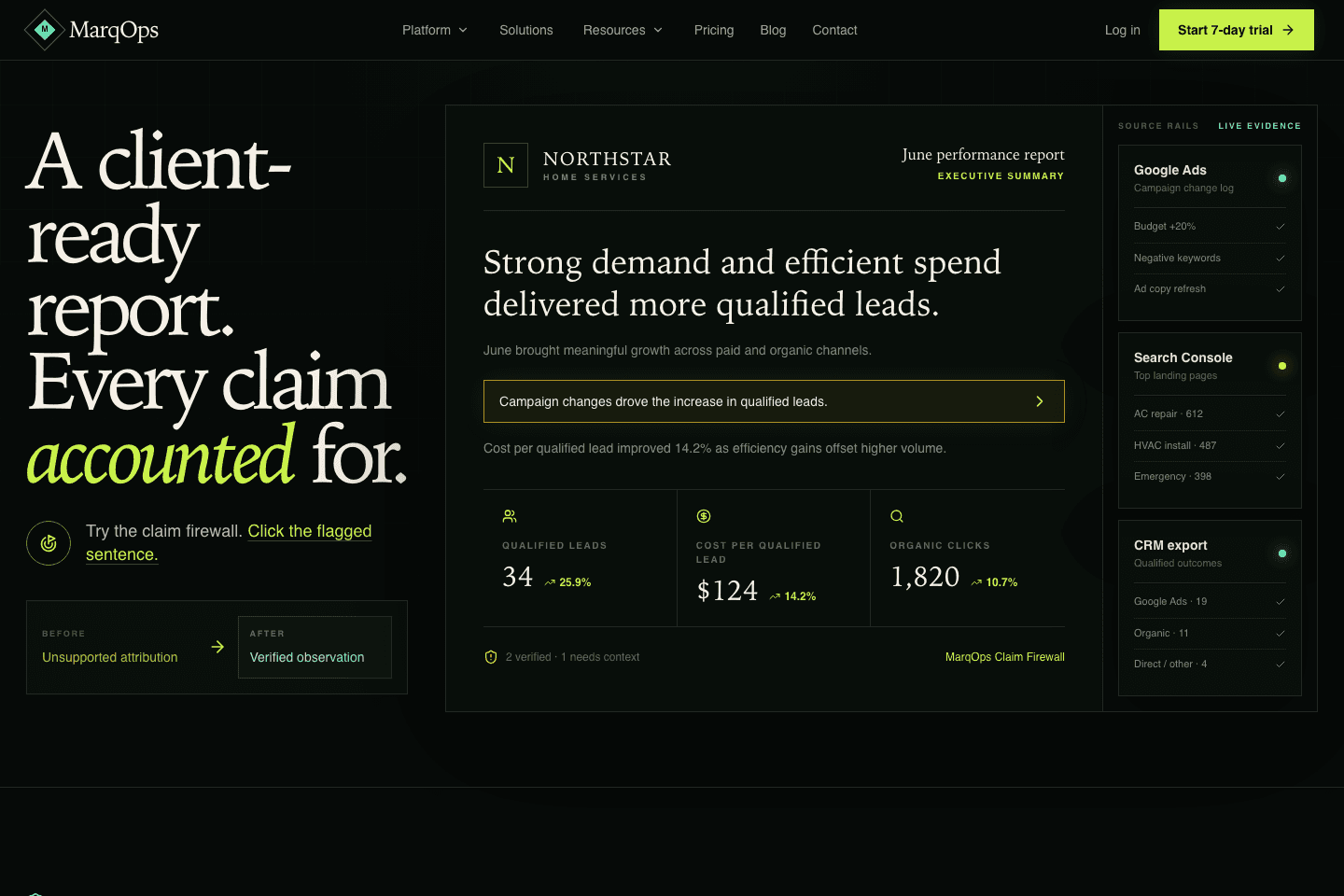
Production reporting workspace
Captured from the live MarqOps reporting demo. The interface is production; the demo client and its values are illustrative.
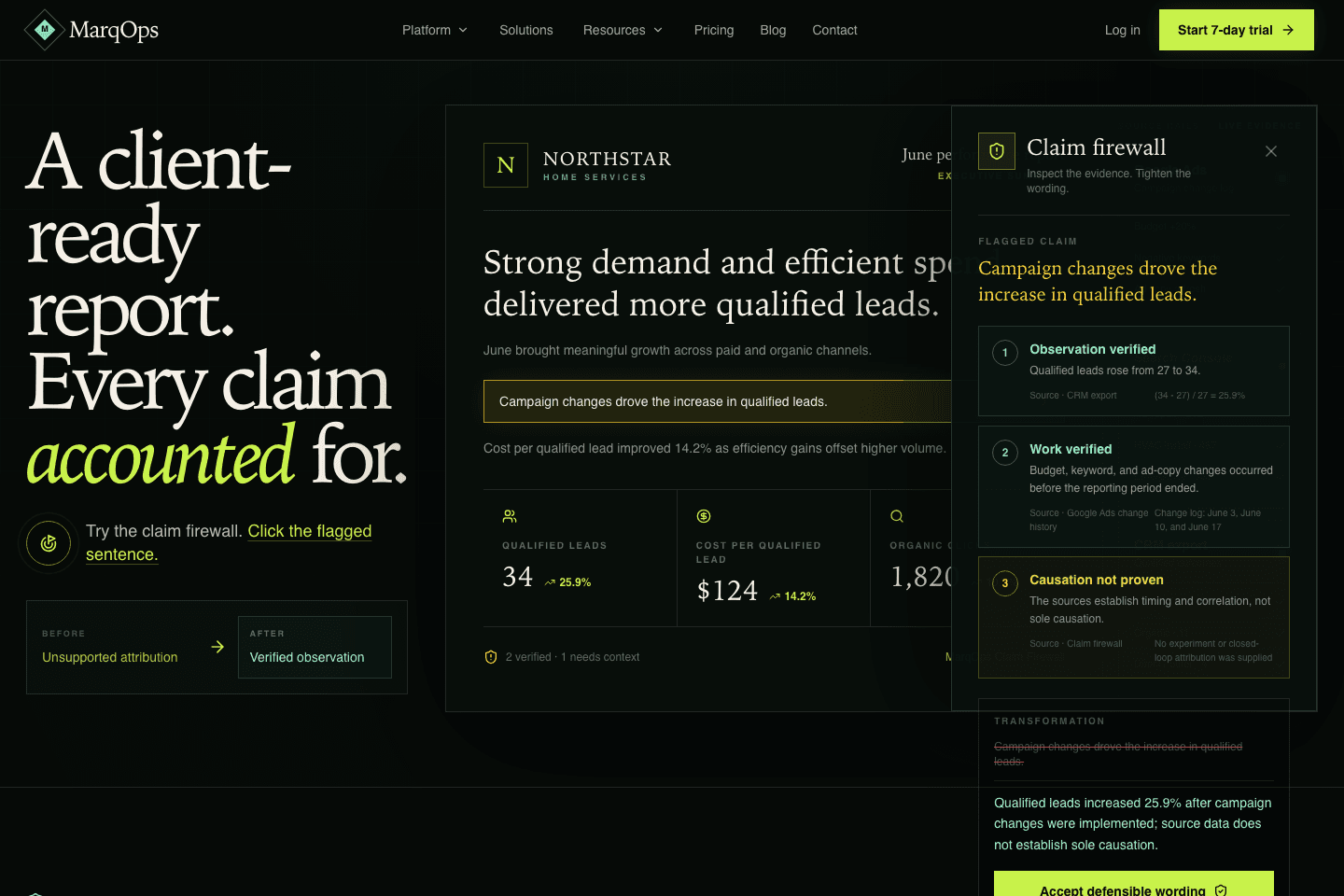
Evidence and claim ledger
Captured from the live claim-firewall interaction that keeps observation separate from unsupported causation.
The agent sees what you authorized.
It never receives OAuth tokens, session cookies, email addresses, provider credentials, or another tenant’s records.
marqops_workspace_contextRead workspace access and a bounded client summary.
read-onlymarqops_list_clientsList only clients owned by the signed-in user.
read-onlymarqops_reporting_statusInspect report lifecycle and source freshness.
read-onlymarqops_report_evidenceRead the claim, fact, and work-evidence ledger.
read-onlymarqops_usage_entitlementRead plan access, credits, capacity, and expiry.
read-onlymarqops_prepare_reportCheck readiness and blockers without generating.
read-onlyA better division of labor.
The agent retrieves and organizes context. The operator decides what the evidence means and what happens next.
Less dashboard archaeology
Ask for the state of a report, source, or entitlement without hunting through navigation.
Answers carry evidence
A metric can return its prior value, source, and calculation—not just a confident sentence.
Humans keep control
The current release cannot publish, send, delete, purchase, or alter a campaign.
No separate connector install
Compatible agents discover the tools on the page and use the customer’s existing signed-in session.
Built to fail closed.
A request must cross every boundary successfully before MarqOps returns a byte of reporting data. If auditing, authorization, or output validation fails, the data stays put.
Compatible agent
Acts with the user on the live page
Page-scoped tool
Available only while reporting is open
Same-origin API
Origin, content type, and size checked
Verified user
Supabase validates the live session
Tenant-owned query
Every resource lookup includes ownership
Bounded response
Shape, size, and forbidden fields checked
Audit receipt
Invocation is durably recorded first
Cross-origin
Rejected · 403
Unsigned
Rejected · 401
Cross-tenant
Rejected · 404
Oversized input
Rejected · 413
Secret-bearing output
Rejected · blocked
Tested like an attacker would test it.
Security-hardened, not guaranteed invulnerable.
No responsible internet product should claim 100% security. We publish what was tested and keep the first release read-only.
238
unit and integration tests passed
400
production routes built successfully
3
authenticated WebMCP end-to-end tests passed
22
public, SEO, and Sanity checks passed
Cross-origin request returned 403.
Unsigned same-origin request returned 401.
Cross-tenant lookup returned 404 without reflected hostile data.
GitHub lint, build, unit, secret scan, Playwright, and Vercel checks passed.
Give your agent context—not control.
Start a seven-day trial and inspect your first reporting workspace with read-only site tools. No card is required to begin.